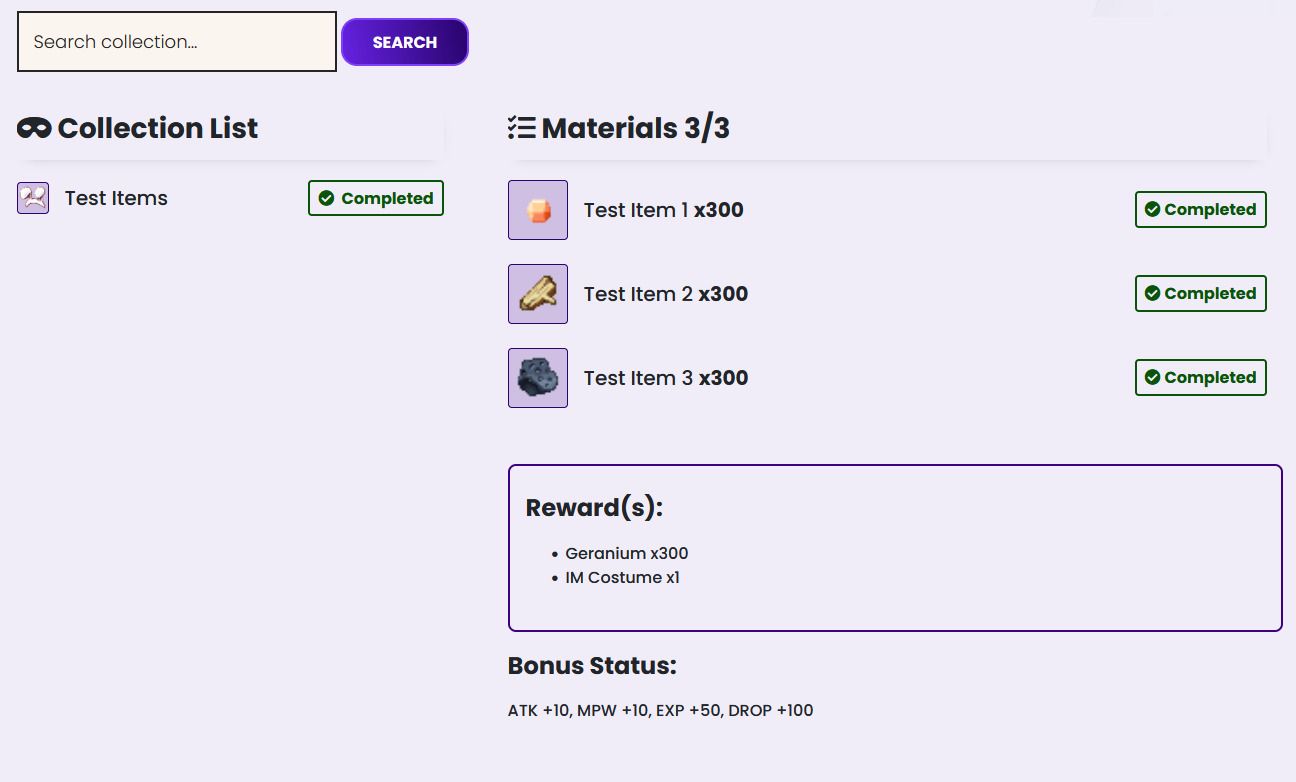
Codex Multi Items Guides
Last Updated: 2026-03-08T05:36:27.000ZConfigurations
File settings on /home/your-seal-name-core/
File name : .env

*CODEX_ACTIVE: true/false (Untuk Aktif / Tidak) Kalau false , hanya GM (user level 150) yang bisa
Database / Table
Database: codex
Table Name

Column Name
codex

Id -> kosongin (otomatis isi)
name -> Nama Codex Quest
img -> Image / Icon item (ada di /home/yoursealname-core/public/assets/img/codex-item dapat diupload manual pada WinSCP
active -> 0 atau 1, jika 0 maka quest tidak akan ditampilkan ke player
type-> setting untuk type quest
0 -> Common Item
1 -> Equipment
codex_requirements
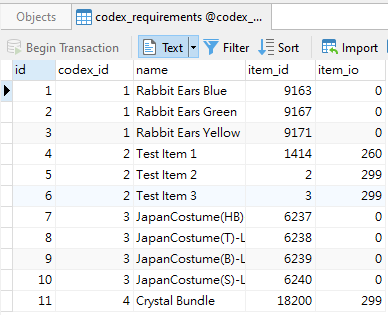
Id -> kosongin
codex_id -> isi dengan id dari table codex sebagai referensi codex
name -> nama item requirement
item_id -> item ID
item_io -> Item IO / Jumlah Item
codex_rewards

Id -> kosongin
codex_id -> isi dengan id dari table codex sebagai referensi codex
name -> nama item reward
item_id -> item ID
item_io -> Item IO / Jumlah Item
item_ioo -> Item IOO / Option Item
item_type -> Type item reward
0 -> Common Item
1 -> Item Mall
is_eq -> 0 / 1 Jika 1 maka akan dikategorikan sebagai equipment, item_io tidak perlu -1 contoh equipment + 8 cukup tulis item_io 8, berbeda dengan common yg harus di -1 misal 299 untuk 300 pcs
codex_buff

Id -> kosongin
codex_id -> isi dengan id dari table codex sebagai referensi codex
atk, eva, def, acc, crit, mpw, aspd, mov, hp, ap, ddt, ddh,exp, drop -> sesuaikan buff yg didapat per codex
Codex Logs
Diisi otomatis setiap player melakukan codex claim.

UI/Design